
Avamboo Encrypt for Outlook (Classic)
Encrypt confidential emails directly in Outlook – as password-protected PDFs with AES-256 encryption. GDPR compliant and no software needed on the recipient's side.
Compatible with Outlook 2016, 2019 and Outlook Classic (Microsoft 365)
Features
Everything you need for secure email communication
AES-256 Encryption
Your emails are encrypted as password-protected PDFs using the AES-256 standard – the same standard used by banks and government agencies.
Password Manager
Passwords are automatically saved and reused when sending to the same recipient again. Team-wide password sharing included.
Automatic Encryption
Configure automatic encryption for specific recipients or domains. Never forget to encrypt a confidential email again.
Searchable Locally
Optionally store encrypted emails unencrypted locally – so you can always search your correspondence.
No Recipient Software
The recipient only needs the free Adobe Acrobat Reader to open the encrypted PDF. No installation, no registration.
GDPR Compliant
Meets all GDPR requirements for sending confidential data via email. Provable encryption for your compliance documentation.
How It Works
Encrypted emails in three simple steps
Compose Email
Write your email as usual in Outlook. Add attachments – everything will be encrypted.
Encrypt
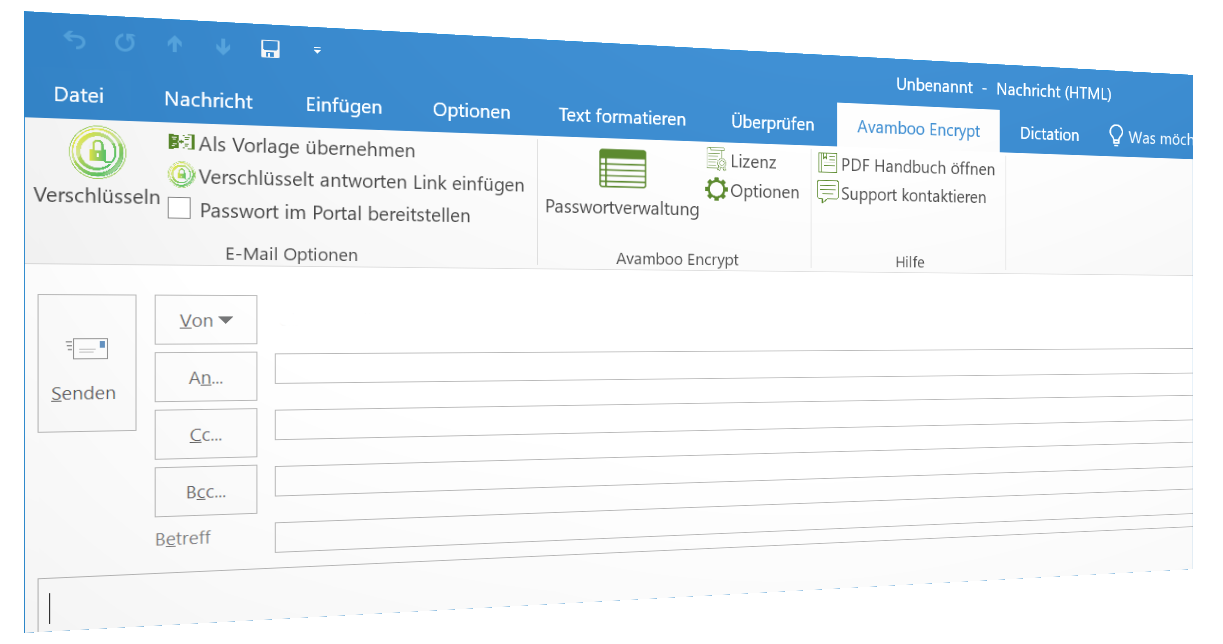
One click on the Encrypt button – Avamboo Encrypt automatically creates a password-protected PDF.
Recipient Opens PDF
The recipient receives the email with the encrypted PDF and opens it with the password in Adobe Reader.
User Guide
Step by step: How to encrypt and open emails
Encrypting Emails
Click the "Avamboo Encrypt" tab in Outlook, then click "Encrypt". Avamboo Encrypt automatically creates a password-protected PDF containing your email content and all attachments.
Opening Encrypted Emails
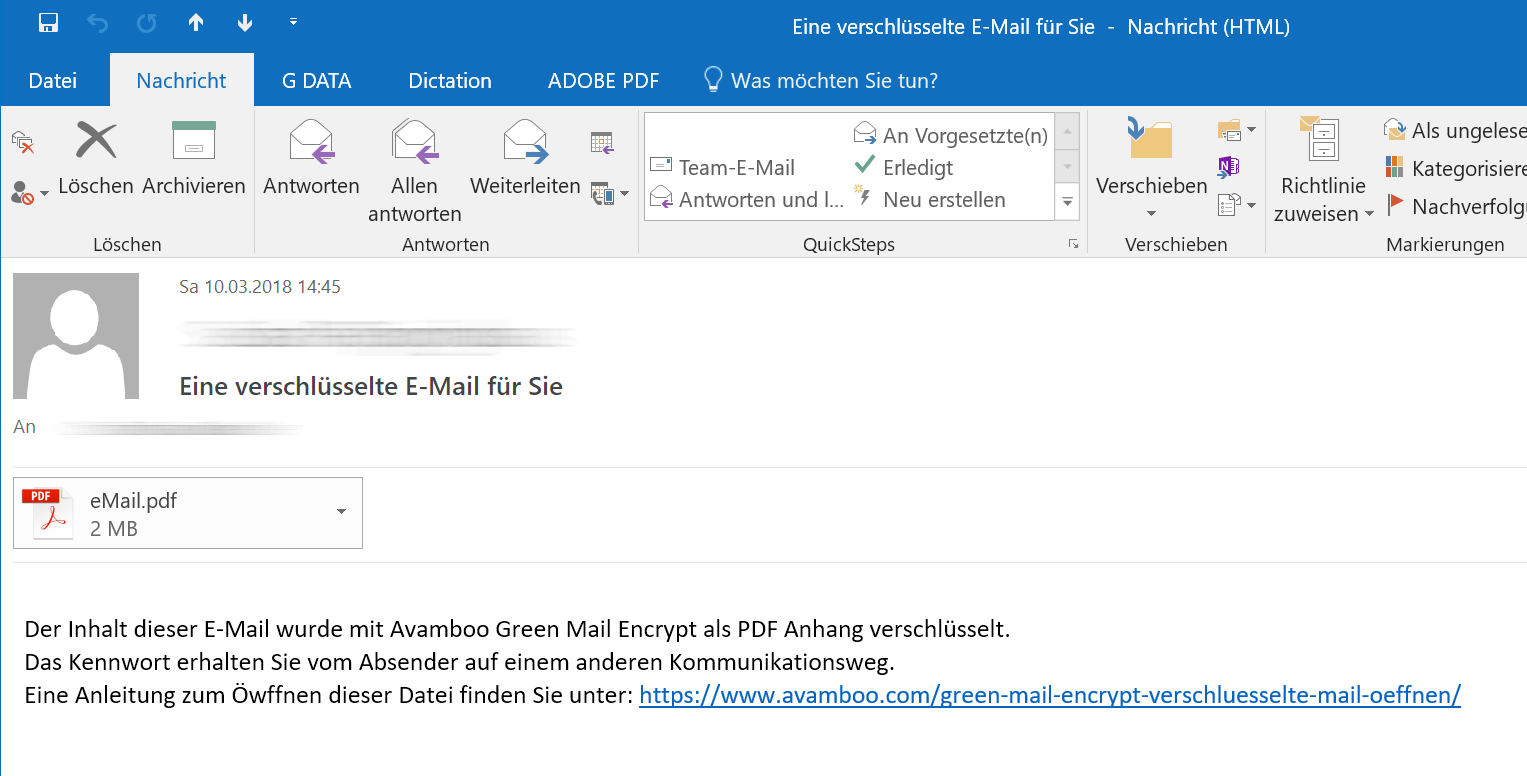
Receive email with PDF attachment
The recipient receives an email with an encrypted PDF file as an attachment (eMail.pdf). The password is communicated via a separate channel.
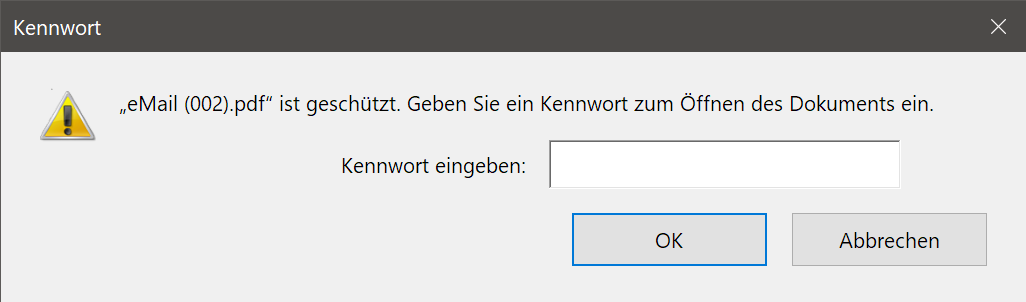
Enter password
When opening the PDF file in Adobe Acrobat Reader, a password prompt appears. Enter the agreed password to decrypt the document.
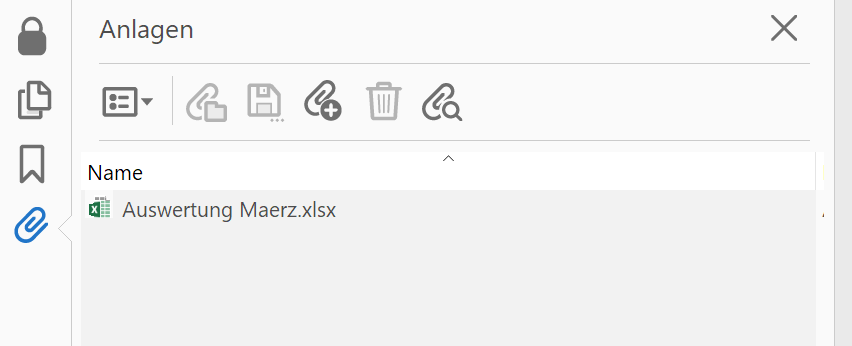
Access attachments
After opening, you can find all original email attachments via the paperclip icon in the left sidebar of Adobe Reader.
Pricing
Simple, transparent pricing – per user, per year
All prices exclude 19% VAT.
Frequently Asked Questions
Which Outlook versions are supported?
Does the recipient need special software?
How secure is the encryption?
Are attachments also encrypted?
Does Avamboo Encrypt work on terminal servers?
Is Avamboo Encrypt GDPR compliant?
Contact
Have questions? We're happy to help.
Protect Your Email Communication
Start with Avamboo Encrypt today and send confidential emails securely and GDPR-compliant.
Download Now